AWS
How to send traffic to a specific resource or AWS region based on the geographic location of the query (Route 53 / Geolocation)
vipDeveloper
2020. 3. 3. 11:44
반응형

AWS (Amazon Web Services) Route 53 - Geolocation Routing Setting(지리적 위치 라우팅 설정 방법)
Geolocation Routing (지리적 위치 라우팅)
Geolocation routing lets you choose the resources that serve your traffic based on the geographic location of your users
AWS Route 53, 지역 별 서비스 연결 설정법 (Geolocation Routing)
1. Route 53 서비스 선택

2. Route 53 내 Hosted zones(호스팅 영역) 선택 / 설정할 Domain Name(도메인 이름) 검색 후 클릭
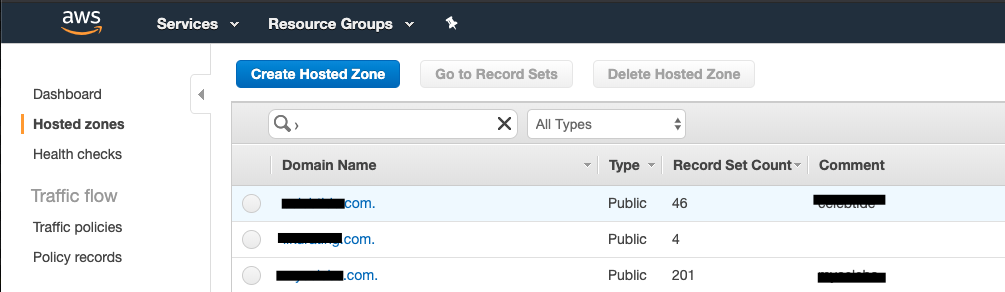
3. Create Recode Set 클릭

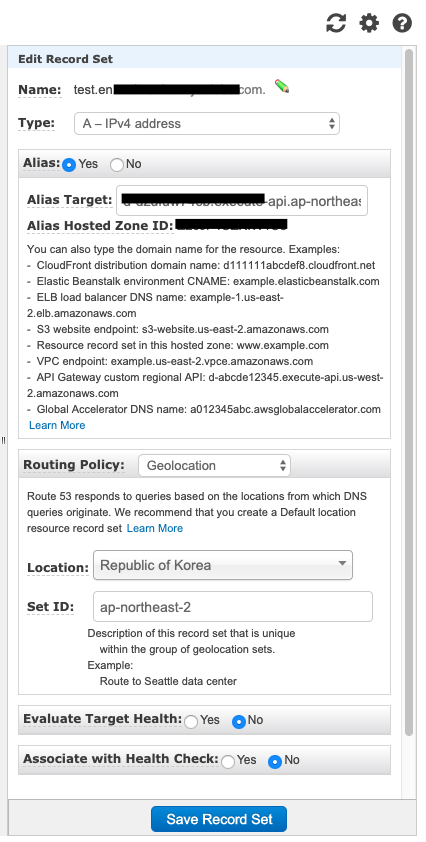
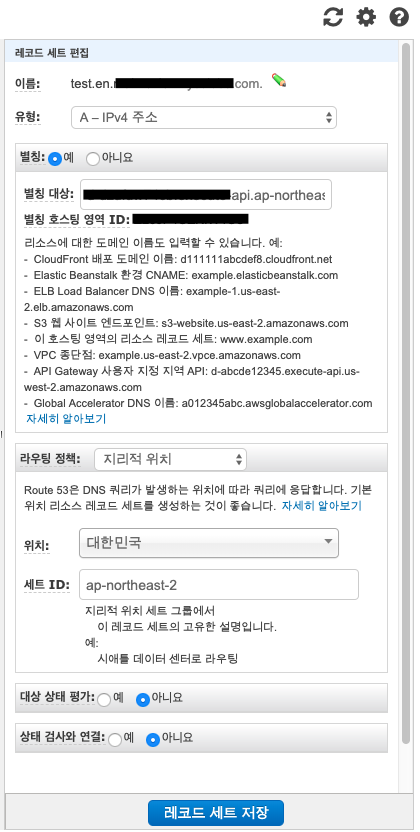
4. Create Recode, Edit Record Set, 레코드 설정법
Setting
- name : Geolocation 을 설정할 도메인 이름
- Alias : yes, 별칭설정
- Alias Target : Api Gateway / Target Domain Name
- Routing Policy : Geolocation
- Location : Select
- Set Id : info
- 그 외 라우팅 정책


반응형