개발
openssl - 'SSLError("Can't connect to HTTPS URL because the SSL module is not available.",)' WARNING: Retrying (Retry... 문제 발생
vipDeveloper
2020. 3. 18. 18:04
반응형
brew install {package} 하다가 강제로 업데이트를 당했다.
openssl error 발생
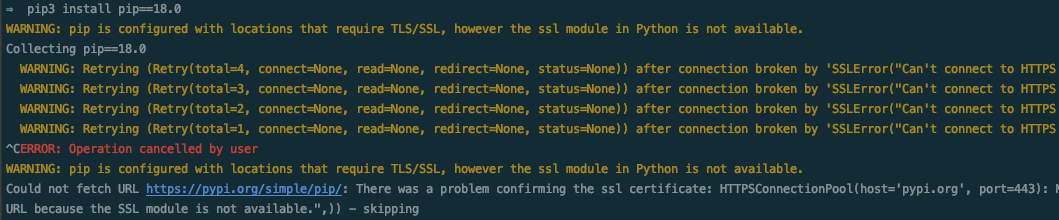
pip3 install pip==18.0
WARNING: pip is configured with locations that require TLS/SSL, however the ssl module in Python is not available.
Collecting pip==18.0
  WARNING: Retrying (Retry(total=4, connect=None, read=None, redirect=None, status=None)) after connection broken by 'SSLError("Can't connect to HTTPS URL because the SSL module is not available.",)': /simple/pip/
  WARNING: Retrying (Retry(total=3, connect=None, read=None, redirect=None, status=None)) after connection broken by 'SSLError("Can't connect to HTTPS URL because the SSL module is not available.",)': /simple/pip/
  WARNING: Retrying (Retry(total=2, connect=None, read=None, redirect=None, status=None)) after connection broken by 'SSLError("Can't connect to HTTPS URL because the SSL module is not available.",)': /simple/pip/
  WARNING: Retrying (Retry(total=1, connect=None, read=None, redirect=None, status=None)) after connection broken by 'SSLError("Can't connect to HTTPS URL because the SSL module is not available.",)': /simple/pip/
^CERROR: Operation cancelled by user
WARNING: pip is configured with locations that require TLS/SSL, however the ssl module in Python is not available.
Could not fetch URL https://pypi.org/simple/pip/: There was a problem confirming the ssl certificate: HTTPSConnectionPool(host='pypi.org', port=443): Max retries exceeded with url: /simple/pip/ (Caused by SSLError("Can't connect to HTTPS URL because the SSL module is not available.",)) - skipping
해결 방법
1 . openssl 삭제
- brew uninstall openssl

⇒  brew uninstall openssl
Error: Refusing to uninstall /usr/local/Cellar/openssl@1.1/1.1.1d
because it is required by aws-elasticbeanstalk, mitmproxy, python and python@3.8, which are currently installed.
You can override this and force removal with:
  brew uninstall --ignore-dependencies openssl
- brew uninstall --ignore-dependencies openssl

⇒  brew uninstall --ignore-dependencies openssl

Uninstalling /usr/local/Cellar/openssl@1.1/1.1.1d... (7,983 files, 17.9MB)
2. openssl 재 설치
- brew install openssl
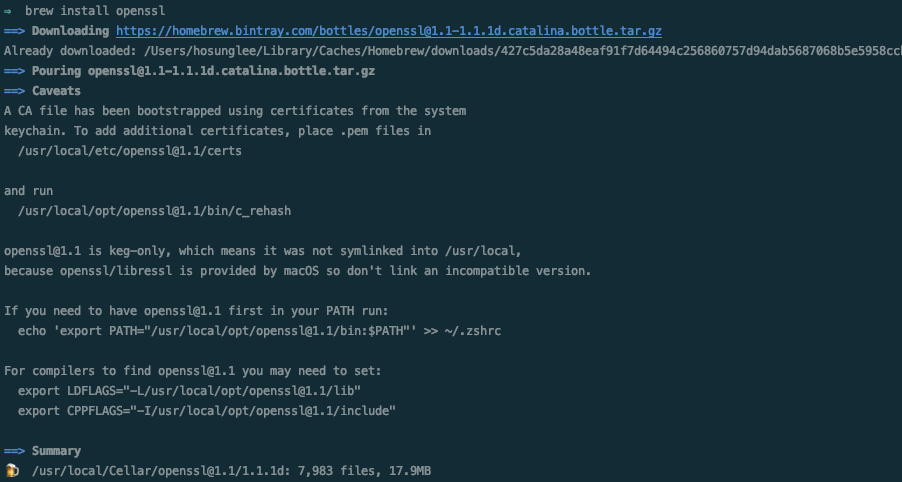
⇒  brew install openssl
==> Downloading https://homebrew.bintray.com/bottles/openssl@1.1-1.1.1d.catalina.bottle.tar.gz
Already downloaded: /Users/hosunglee/Library/Caches/Homebrew/downloads/427c5da28a48eaf91f7d64494c256860757d94dab5687068b5e5958ccbc20a2b--openssl@1.1-1.1.1d.catalina.bottle.tar.gz
==> Pouring openssl@1.1-1.1.1d.catalina.bottle.tar.gz
==> Caveats
A CA file has been bootstrapped using certificates from the system
keychain. To add additional certificates, place .pem files in
  /usr/local/etc/openssl@1.1/certs

and run
  /usr/local/opt/openssl@1.1/bin/c_rehash

openssl@1.1 is keg-only, which means it was not symlinked into /usr/local,
because openssl/libressl is provided by macOS so don't link an incompatible version.

If you need to have openssl@1.1 first in your PATH run:
  echo 'export PATH="/usr/local/opt/openssl@1.1/bin:$PATH"' >> ~/.zshrc

For compilers to find openssl@1.1 you may need to set:
  export LDFLAGS="-L/usr/local/opt/openssl@1.1/lib"
  export CPPFLAGS="-I/usr/local/opt/openssl@1.1/include"

==> Summary
🍺  /usr/local/Cellar/openssl@1.1/1.1.1d: 7,983 files, 17.9MB
3. openssl switch (스위치)
brew switch openssl 1.1 <- version error / msg version use

⇒  brew switch openssl 1.1
Error: openssl does not have a version "1.1" in the Cellar.
openssl's installed versions: 1.0.2s
brew switch openssl 1.0.2s
⇒  brew switch openssl 1.0.2s
Cleaning /usr/local/Cellar/openssl/1.0.2s
Opt link created for /usr/local/Cellar/openssl/1.0.2s
반응형